Are you searching for viable gaming PCs for 300 to fuel your passion without breaking the bank It sounds challenging but with the right guidance it is absolutely achievable This comprehensive article dives deep into the world of ultra budget gaming showing you exactly what to look for and what to expect when aiming for a 300 gaming PC build We understand that many gamers balancing jobs and families still crave that immersive experience and social connection that gaming provides We will cover crucial components where to find the best deals and how to optimize your setup for maximum performance within a tight budget Discover strategies for sourcing used parts identifying compatible hardware and squeezing every frame out of your low cost rig This resource is designed to empower you with practical knowledge helping you navigate the complexities of budget gaming PC construction or purchase It addresses common pain points like performance limitations setup issues and balancing gaming desire with financial realities Learn how to enjoy modern games even on modest hardware and stay current without the hype
Related gamesHow do I find reliable used GPUs for a 300 gaming PC without getting scammed
Finding reliable used GPUs for a gaming PC under 300 dollars is a common concern. Your best bet is to prioritize platforms with buyer protection, like eBay, and always check seller reviews thoroughly. When buying locally through Facebook Marketplace or Craigslist, insist on meeting in a public place and ask to see the card working in a system, if possible. Look for GPU stress tests like FurMark running for a few minutes. Avoid deals that seem too good to be true, and never pay outside of secure platforms. Trust your gut feeling; a little patience to find a reputable seller goes a long way in securing a functional graphics card for your budget build.
What are the best older CPUs that fit into a 300 gaming PC budget for light gaming
For light gaming and aiming for gaming PCs for 300, several older CPUs offer excellent value. On the Intel side, look for a 4th generation (Haswell) or 6th/7th generation (Skylake/Kaby Lake) i5 or i7, like an i5-4590, i7-4770, i5-6500, or i7-7700. For AMD, first and second-generation Ryzen CPUs, specifically the Ryzen 5 1600 or Ryzen 5 2600, are fantastic options if you can find them paired with a cheap motherboard. Even a strong AMD APU like a Ryzen 5 3400G can be a great starting point, allowing you to defer a discrete GPU purchase. These processors provide enough cores and threads to handle many modern titles at lower settings and excel in esports.
Can a 300 gaming PC really handle modern competitive esports like Valorant or CS2
Absolutely, a gaming PC for 300 can handle modern competitive esports titles like Valorant, CS2 (Counter-Strike 2), and League of Legends. These games are specifically designed to be highly optimized and accessible to a wide range of hardware, ensuring a large player base. You'll likely need to play at 1080p resolution with most graphical settings on low or medium, but the frame rates will often be stable and high enough for competitive play, typically 60 FPS or more. The focus here is on responsiveness and smooth gameplay, not dazzling visuals. Many pro players even opt for lower settings to maximize frame rate and minimize input lag, so you'll be in good company.
What kind of monitor is best for a 300 dollar gaming setup
For a gaming PC for 300, a budget-friendly 1080p monitor is the ideal choice. Look for a monitor that offers a refresh rate of at least 60Hz, though finding a 75Hz or even 144Hz panel on the used market within your overall budget would be a fantastic bonus for smoother gameplay. Prioritize an IPS panel for better colors and viewing angles if possible, but a TN panel can also be perfectly fine for competitive gaming due to its faster response times. Keep the size around 22-24 inches for optimal pixel density at 1080p. Second-hand monitors are often plentiful and can significantly reduce your overall setup cost.
Are prebuilt gaming PCs under 300 ever a good deal or always a rip-off
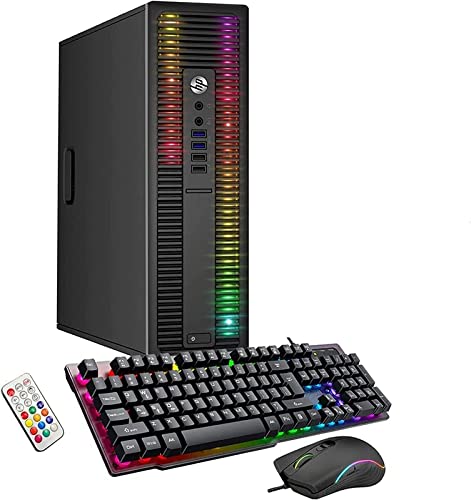
Prebuilt gaming PCs under 300 are rarely a good deal if you're buying new from major retailers. They often feature extremely weak, proprietary components that offer little to no upgrade path and provide a poor gaming experience. However, a *used* or *refurbished* prebuilt system can be a smart purchase. Look for older business-class desktops from Dell OptiPlex or HP ProDesk lines that come with a decent CPU (like an i5-4590 or i7-4770). You can then often drop in a low-profile GPU like a GTX 1050 Ti or RX 6400 to turn it into a respectable budget gaming PC for around 300 total, including the cost of the GPU. It requires careful selection but can be a great shortcut.
How important is an SSD for a 300 gaming PC and what size do I need
An SSD is incredibly important for a gaming PC, even one built for 300 dollars. It's not just about faster game loading; it dramatically improves the overall responsiveness of your operating system, application launches, and general PC usage. This makes the entire experience feel snappier and less frustrating, which is vital on a budget build where every performance gain counts. For this budget, aim for at least a 256GB SSD to install your operating system and your most frequently played games. If your budget can stretch a little, a 500GB SSD would be ideal, offering more breathing room for game installations without needing to constantly manage space. Do not compromise on an SSD for your primary drive.
What are some common mistakes to avoid when building a gaming PC for 300
When building gaming PCs for 300, avoiding common mistakes is key to success. First, don't have unrealistic expectations about performance. You won't be maxing out new AAA games. Second, avoid incompatible parts. Research thoroughly to ensure your CPU, motherboard, and RAM work together, and that your power supply has enough wattage and connectors for your GPU. Third, don't skimp entirely on the power supply; a cheap, unreliable PSU can damage components. Fourth, don't forget about cooling; even budget components can overheat if airflow is poor. Lastly, be wary of sellers with no reviews or suspicious deals on the used market. Patience and careful research will save you headaches and money.
Are you a dedicated gamer, averaging 10+ hours a week, maybe even juggling work and family, but find your current setup is holding you back? You're not alone. Many US gamers, around 87% of us, game regularly, seeking that perfect balance of relaxation, social connection, and skill-building. The dream of a powerful gaming rig often clashes with the reality of a tight budget. We've all been there, scrolling through forums, wondering if a decent gaming PC for 300 dollars is even possible. The internet is full of conflicting advice, but this guide is here to cut through the noise. We understand the pain points: setup struggles, performance hiccups, and the desire to play trending titles without breaking the bank. This article will be your ultimate resource, showing you how to approach building or buying gaming pcs for 300, focusing on smart choices that maximize your fun and minimize frustration. Let's dive into practical, real-world solutions that will get you gaming without emptying your wallet.
Is a 300 Gaming PC Really Possible in 2026
Yes, absolutely, but it requires smart choices and realistic expectations. In 2026, building or finding a gaming PC for 300 isn't about running the latest AAA titles at ultra settings. It's about strategic component selection, often relying on the robust used market, and focusing on older games, popular esports, and less demanding indie titles. Many gamers, especially those balancing life with gaming, just want a reliable machine for their favorite co-op sessions or a quick escape after a long day. With careful planning, you can assemble a system capable of delivering solid 1080p performance in many beloved games, offering great value for your hard-earned money.
What Components Can I Expect in a 300 Gaming PC
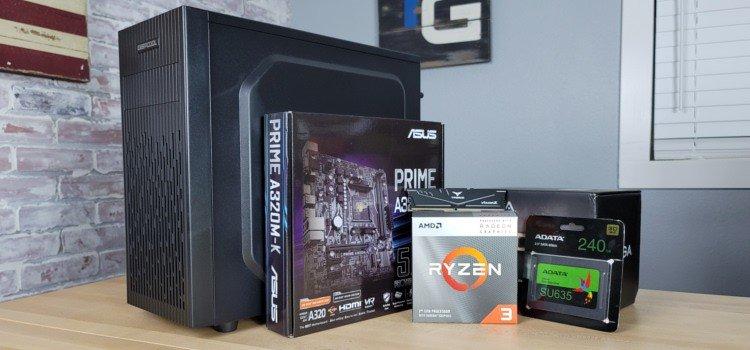
Building gaming pcs for 300 means prioritizing essential components and making smart compromises. Here's a breakdown:
Processor CPU You'll likely target an older generation Intel i5 or i7, or an AMD Ryzen 1st or 2nd generation. Look for CPUs with 4 cores or more to handle modern operating systems and light multitasking. Integrated graphics, if present and capable, can save money on a discrete GPU initially.
Graphics Card GPU This is where the biggest compromises occur. Expect to find older entry-level to mid-range discrete cards like an NVIDIA GTX 970, GTX 1050 Ti, or an AMD RX 570, RX 580 on the used market. Sometimes, a strong APU like an AMD Ryzen 5 3400G or Ryzen 5 5600G can be a viable alternative, especially if found at a good price.
RAM 8GB of DDR4 RAM is the absolute minimum you should aim for. If possible, target 16GB, especially if you plan to multitask or play more demanding titles. Look for speeds around 2666MHz to 3200MHz, as faster RAM often comes with a premium not suitable for this budget.
Storage A 256GB SSD for your operating system and a few key games is crucial for responsiveness. You might pair this with a larger 500GB or 1TB HDD for additional game storage if your budget allows, or simply stick to the SSD and manage game installations strategically.
Motherboard Power Supply Case These components will be chosen for compatibility and bare functionality. A basic B350 or B450 motherboard for AMD, or an older H110/B250 for Intel, will suffice. A reliable, perhaps used, 450-550W 80 Plus rated power supply is important. The case will be a functional, inexpensive option.
Where Should I Look for Parts for a Budget Gaming PC
The used market is your best friend when sourcing gaming pcs for 300. Here are the top places to hunt for deals:
eBay Excellent for specific components. Use filters for "used" items and keep an eye on seller ratings. Be patient, as good deals can pop up suddenly.
Facebook Marketplace Craigslist Great for local pickups. This allows you to inspect items before buying, which is vital for GPUs and CPUs. Always meet in a public place.
r Hardwareswap Reddit A dedicated community for buying and selling PC parts. Often has competitive pricing and knowledgeable sellers. Always use PayPal Goods and Services for protection.
Local Computer Repair Shops or Pawn Shops Sometimes these places have older stock or used systems they've refurbished. It's hit or miss but worth checking.
Friends Family Word of mouth can sometimes lead to someone offloading an older but still capable system or parts for cheap.
What Games Can a 300 Gaming PC Play
With gaming pcs for 300, you'll be surprised at what's playable, especially if you manage expectations. Here's what you can typically enjoy:
Esports Titles Games like League of Legends, Valorant, CS GO 2, Dota 2, Rocket League, and Overwatch 2 will run very well at 1080p, often even at medium or high settings, providing smooth frame rates essential for competitive play. These are perfect for social gaming with friends.
Older AAA Titles Many games from a few years ago are still fantastic and will run acceptably. Think Grand Theft Auto V, The Witcher 3 Wild Hunt (at lower settings), Fallout 4, or older Assassin's Creed titles. Scour sale events for these gems.
Indie Games Cozy Games The indie scene is booming with incredible titles that are often less graphically intensive. Stardew Valley, Hades, Hollow Knight, Valheim, and many popular social games are perfect fits. These are ideal for relaxing after a long day.
Free to Play F2P Titles Beyond esports, titles like Genshin Impact, Warframe, and Destiny 2 (with adjusted settings) can offer hundreds of hours of fun without an initial game purchase, a huge plus for budget-conscious gamers.
Remember, optimal performance usually means playing at 1080p resolution and adjusting graphical settings to low or medium. This is a common and perfectly acceptable way to enjoy games, especially when every dollar counts.
Should I Build or Buy a 300 Gaming PC
The build versus buy debate is especially relevant at this budget. For gaming pcs for 300:
Building Your Own Generally offers the best value. You can cherry-pick used components, ensuring you get the most powerful CPU and GPU for your money. It requires research, patience, and some basic technical know-how, but the learning experience is rewarding. You also get the satisfaction of creating something yourself and can easily upgrade individual parts later.
Buying a Prebuilt or Used System Can be quicker and less intimidating. Look for older refurbished office PCs that can be upgraded with a cheap GPU, or used gaming PCs on local marketplaces. The key is to find a seller you trust and to verify the components are as advertised. Be wary of systems with proprietary parts that make upgrading difficult. While less flexible, a good deal on a prebuilt can save you time.
For most gamers targeting a 300 budget, building is likely to yield a more powerful and customized machine, provided you're comfortable with the process. If time is short or you lack confidence, a carefully chosen used prebuilt is a good second option.
How Can I Optimize Performance on a Low Budget Rig
Getting the most out of gaming pcs for 300 involves a few key optimization tricks:
Driver Updates Always keep your graphics drivers updated to the latest stable version. Both NVIDIA and AMD frequently release performance improvements.
In-Game Settings This is critical. Prioritize frame rate over visual fidelity. Lower resolutions (e.g., 900p instead of 1080p), turn off shadows, reduce texture quality, disable anti-aliasing, and lower draw distances. Experiment to find the sweet spot.
Background Applications Close all unnecessary programs running in the background while gaming. Discord, web browsers, and other apps consume precious RAM and CPU cycles.
Operating System Optimization Ensure your Windows installation is clean and debloated. Disable unnecessary startup programs and visual effects. Game Mode in Windows can help, too.
SSD for Games Install your most frequently played games on the SSD for faster loading times and smoother gameplay experience, even if the graphical settings are low.
Cooling and Dust Keep your PC clean and ensure good airflow. Dust buildup can lead to overheating and thermal throttling, reducing performance.
What Are the Common Pitfalls of Ultra Budget Gaming
While gaming pcs for 300 offer amazing value, there are challenges:
Unrealistic Expectations Don't expect to play Cyberpunk 2077 at 60 FPS on high settings. Understand the limitations and enjoy the games that your system can handle well.
Component Compatibility Issues When buying used parts, ensure they are compatible. Research motherboard socket types, RAM generations, and GPU power requirements.
Scams or Faulty Parts The used market carries risks. Always test components thoroughly upon receipt, especially if buying locally. Use trusted platforms with buyer protection where possible.
Short-Term Obsolescence A 300 PC will become outdated faster than a mid-range system. Be prepared for incremental upgrades or to stick with older titles.
Heat and Noise Older or cheaper components might run hotter and louder than newer, more efficient parts. Ensure adequate cooling.
Limited Upgrade Paths Some older motherboards or CPUs might restrict future upgrades without replacing multiple components.
How to Upgrade a 300 Gaming PC Later On
Your 300 gaming PC can be a fantastic starting point for future upgrades. The key is to plan smart from the beginning. First, prioritize a decent, albeit inexpensive, motherboard and CPU that offer some upgrade potential within the same socket, if possible. For example, an AM4 motherboard allows for a range of Ryzen CPUs. The most impactful upgrades will typically be:
Graphics Card This will almost always be your first major upgrade. Saving up for a modern entry-level or mid-range GPU (like an RTX 3050 or RX 6600, used) will dramatically boost performance. Ensure your power supply can handle it.
RAM Going from 8GB to 16GB of faster RAM can make a noticeable difference in game performance and overall system responsiveness.
CPU If your motherboard supports a newer CPU within the same socket, upgrading your processor can alleviate bottlenecks, especially for CPU-intensive games or multitasking.
Storage Adding a larger SSD or NVMe drive will improve load times and give you more space for your growing game library.
Approach upgrades incrementally, focusing on the component that limits your experience the most. This phased approach is a smart way for busy gamers to keep their rig relevant without a massive upfront investment.
Tips for Social Gaming and Community on a Budget PC
Gaming pcs for 300 are perfectly capable of fostering strong social connections, which is a huge draw for modern gamers. In 2026, social gaming is huge, with many enjoying co-op experiences and chatting on Discord. Here's how to maximize your social gaming:
Focus on Multiplayer Games Many of the free-to-play esports titles mentioned earlier are built around social interaction. Embrace games like Valorant, Apex Legends, or even older MMORPGs that don't demand high-end specs.
Utilize Voice Chat Discord is your best friend. It's relatively low impact on system resources and is the go-to platform for voice chat and community building. Most gamers, including the average 36-year-old balancing life, use it daily.
Join Gaming Communities Find communities online for your favorite budget-friendly games. Whether it's through Reddit, Discord servers, or in-game guilds, connecting with others enhances the experience.
Streamers and Content Creators Many budget-conscious gamers enjoy watching streamers. You might not be streaming yourself on a 300 PC, but you can certainly engage with your favorite creators and their communities.
Remember, the core of gaming is fun and connection, which isn't solely dependent on ultra-high graphics. Your budget PC can be a gateway to countless hours of shared enjoyment.
Navigating the world of gaming pcs for 300 might seem daunting, but as we've explored, it's a completely achievable goal for passionate gamers. By focusing on smart sourcing, realistic expectations, and clever optimization, you can build or buy a capable machine that delivers countless hours of fun. Whether you're diving into esports, revisiting classic AAA titles, or exploring the vibrant indie scene, a budget rig can open up a world of entertainment without draining your wallet. Remember, gaming is about the experience, the challenge, the escape, and the friendships built along the way—not just the frame rate. Start small, game smart, and enjoy the journey.
What's your biggest gaming challenge when on a budget? Comment below and share your tips!
FAQ
Can a 300 gaming PC handle VR games
No, a 300 gaming PC will not be capable of running VR games comfortably or effectively. VR requires significantly more graphical horsepower and CPU performance than this budget allows for a smooth experience.
What operating system should I use for a 300 gaming PC
Windows 10 is generally the best choice for gaming compatibility and driver support. You can often find legitimate keys at discounted prices or use it unactivated with some cosmetic limitations.
How much electricity does a 300 gaming PC use
A budget gaming PC is relatively efficient. Expect it to draw around 150-250 watts under full load, which is less than higher-end systems and won't significantly impact your electricity bill.
Is it worth buying a refurbished gaming PC for 300
Yes, if it comes from a reputable seller with a warranty. Refurbished machines can offer excellent value, as they've been inspected and often have minor upgrades or new parts, reducing the risks of buying used.
Will a 300 gaming PC last long
Its lifespan depends on how well you maintain it and your expectations. While it might run current esports for years, its ability to play new AAA games will diminish quickly. With good care, the hardware itself can last a long time.
Can I use a 300 gaming PC for streaming
A 300 gaming PC is generally not recommended for streaming. Encoding and running a game simultaneously requires significant CPU and GPU resources that a budget system simply won't have for a quality stream.
Achieving a gaming PC for 300 is possible through smart part sourcing often used components Focusing on integrated graphics or older discrete GPUs is essential Performance will target older or less demanding esports titles Compromises on graphical settings and resolution are necessary DIY building or finding pre-owned systems offers the best value Expect to upgrade over time
35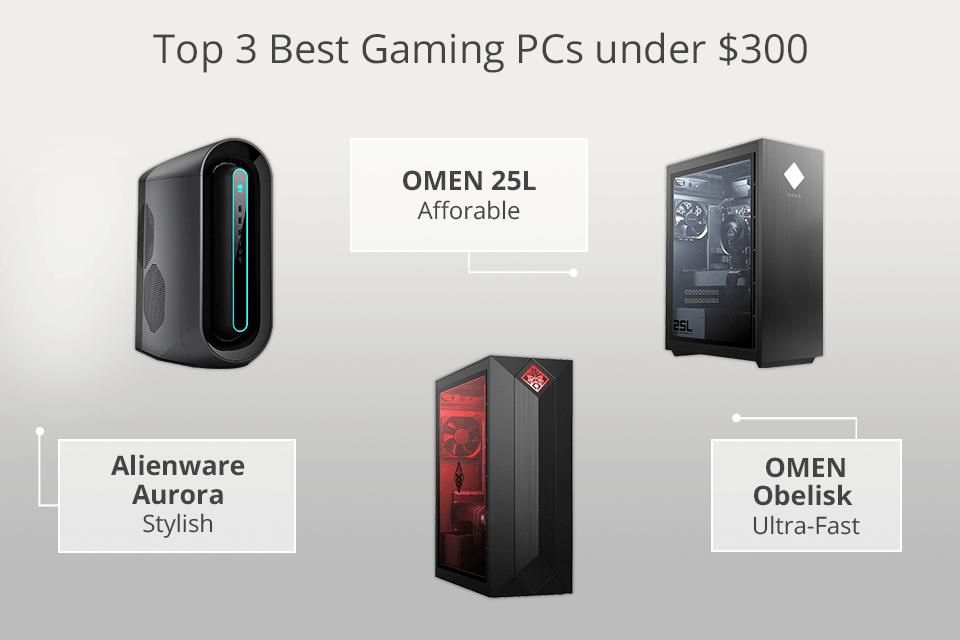
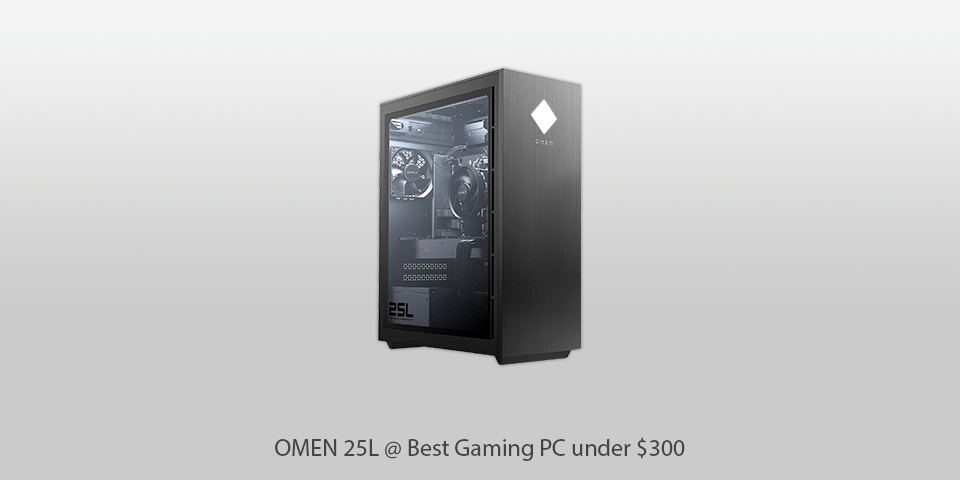
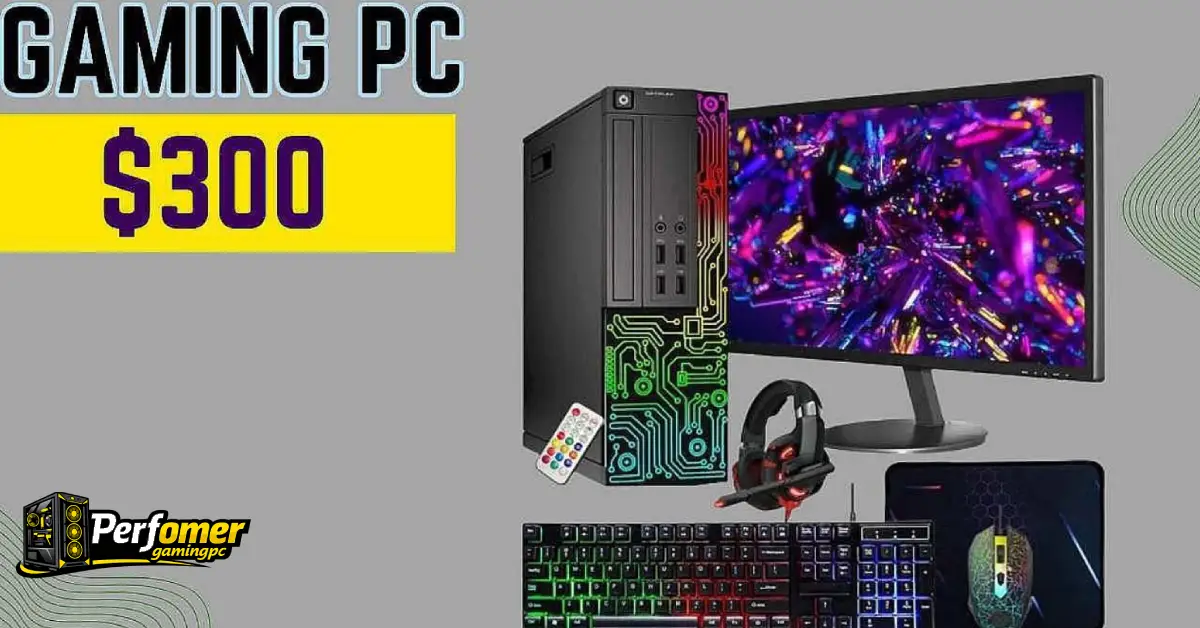

4 Best Gaming PCs Under 300 Dollars In 2026 Top Gaming Pcs Under $300 . 4 Best Gaming PCs Under 300 Dollars In 2026 Pc Omen 25l . Best Cheap Gaming PCs Under 300 Updated 2026 Best 300 Gaming Pcs 1.webp. Best Gaming PC Builds For 2026 Best Gaming PC Builds For 2026.webp. 12 Best Compact Gaming PCs For 2026 Reviews Mill Compact Gaming Pcs 2026 Te8ov




The 5 Best Gaming PCs Of 2026 Power Performance And Gaming Top 5 Gaming Pcs 2026 Fh2q5 . Tech Guided Tech Guides PC Builds Hardware Reviews Best Budget Gaming PC Builds For 2026.webp. 7 Best Gaming PCs Of 2026 Power Performance And Value Revealed Top Gaming Pcs 2026 1lmv2 . Asus Unveils 2026 Lineup Of All In One PCs Gaming Desktops In PH ASUS Announces 2026 All In One PCs And Desktops In The Philippines Priced 300x160 . Top 10 Best Desktop Computers 2026 For Home Office And Work Lenovo Legion Tower 7i 2026 High Performance Desktop Computer With RGB Lighting Featured In



5 Best Gaming PCs Of 2026 One Is SHOCKINGLY Affordable YouTube . 15 High End VR Ready Gaming PC Builds For 2026 That Elevate Gaming Premium 2026 Gaming Pc Builds L8j52 . 4 Best Gaming PCs Under 300 Dollars In 2026 News Fb Image 6381 . ASUS Presenta En CES 2026 Una Nueva Generaci N De Mini PCs Con Potencia Portada . Best Mini Gaming PC 2026 Top Small Form Factor PCs Tested Gamers Best Mini Gaming Pc


4 Best Gaming PCs Under 300 Dollars In 2026 300 Dollar Gaming Pc . Top 5 Best Gaming Desktops Of 2026 Best Product Review Best Gaming Desktops . 12 Best Prebuilt Gaming PCs June 2026 Expert Tested Picks Best Prebuilt Gaming PCs 768x419 . Best Gaming PCs Of 2026 UK Best Pcs Twitter 850x478 . Best Prebuilt Gaming PCs In 2026 Complete Buyer S Guide After Testing Best Prebuilt Gaming PCs In 2026 Complete Buyers Guide After Testing 8 Systems 1024x559


Top 3 Best Gaming PCs In 2026 Best Motherboard Zone Site Best Gaming PCs 300x169 . Best Gaming Pc For 300 Dollars 2026 Update Diy Happy. 10 Best High End Gaming PCs Of 2026 For Hardcore Gamers StrongMocha Top Premium Gaming Computer List X6akm 800x450 . Our 10 Best Gaming Pc Under 300 In The UK April 2026 51d PZMscEL. SL160 . 6 Best Gaming PCs Under 3000 March 2026 Guide Featured Image 71m9qm8z 300x210


ASUS ROG Showcase At CES 2026 Confirmed With New Gaming Gear Laptops 109228 43 Asus Rog Showcase At Ces 2026 Confirmed With New Gaming Gear Laptops And Future Technology Full . 6 Best Gaming PCs Under 3000 March 2026 Guide B0FC2CD94S Customer 1 221x300 . The Best Gaming PC Of 2026 Top Prebuilt Desktops Gaming Pc . 12 Best Gaming PCs For Streaming June 2026 Buying Guide Reviews Best Gaming PCs For Streaming 300x164 . 15 Best Gaming PCs Of 2026 That Will Take Your Play To The Next Level Top 2026 Gaming Pc Picks 6as75 300x169
15 Best Gaming PCs Of 2026 That Will Take Your Gaming To The Next Level Top Gaming Pcs 2026 Vr18d . 15 High End VR Ready Gaming PCs For 2026 That Gamers Swear By StrongMocha Top Vr Gaming Pcs 4h112 . 9 Budget VR Ready Gaming PCs For 2026 That Won T Break The Bank Affordable Vr Gaming Builds 4kg5o . Best Gaming Pc For 300 Dollars 2026 Update Diy Happy. Best Gaming PC Under 300 Update 05 2026 Best Gaming Pc Under 300 Img